The best free listing sites for business are the ones you can claim and verify at no cost, and that search engines, map apps and buyers already use. Start with Google Business Profile if you have local customers. Add Bing Places and Apple Business Connect to cover the other two big map and search platforms. Use Yelp or Facebook if your customers browse there, and add LinkedIn if you sell to other businesses. Companies in the events and trade show industry should also add a niche directory such as EG Business Listing.
The hard part is the volume. Roundups online push hundreds of directories, and most are thin sites that no customer ever opens. Listing on all of them burns days and scatters conflicting details across the web.
This article gives you seven profiles worth claiming. Each one covers how it works, who it suits, and what to expect on cost and setup. A closing section explains what business listing sites are and how to find and vet more. Exhibition Globe runs a B2B directory for the events industry, so it comes first, and the article says plainly where it fits.
1. EG Business Listing
EG Business Listing is the directory of Exhibition Globe, built for companies in the events, exhibitions and trade show industry. It is the right first stop for event businesses and the wrong one for everyone else, so skip to item 2 if you work outside that sector.
How it works
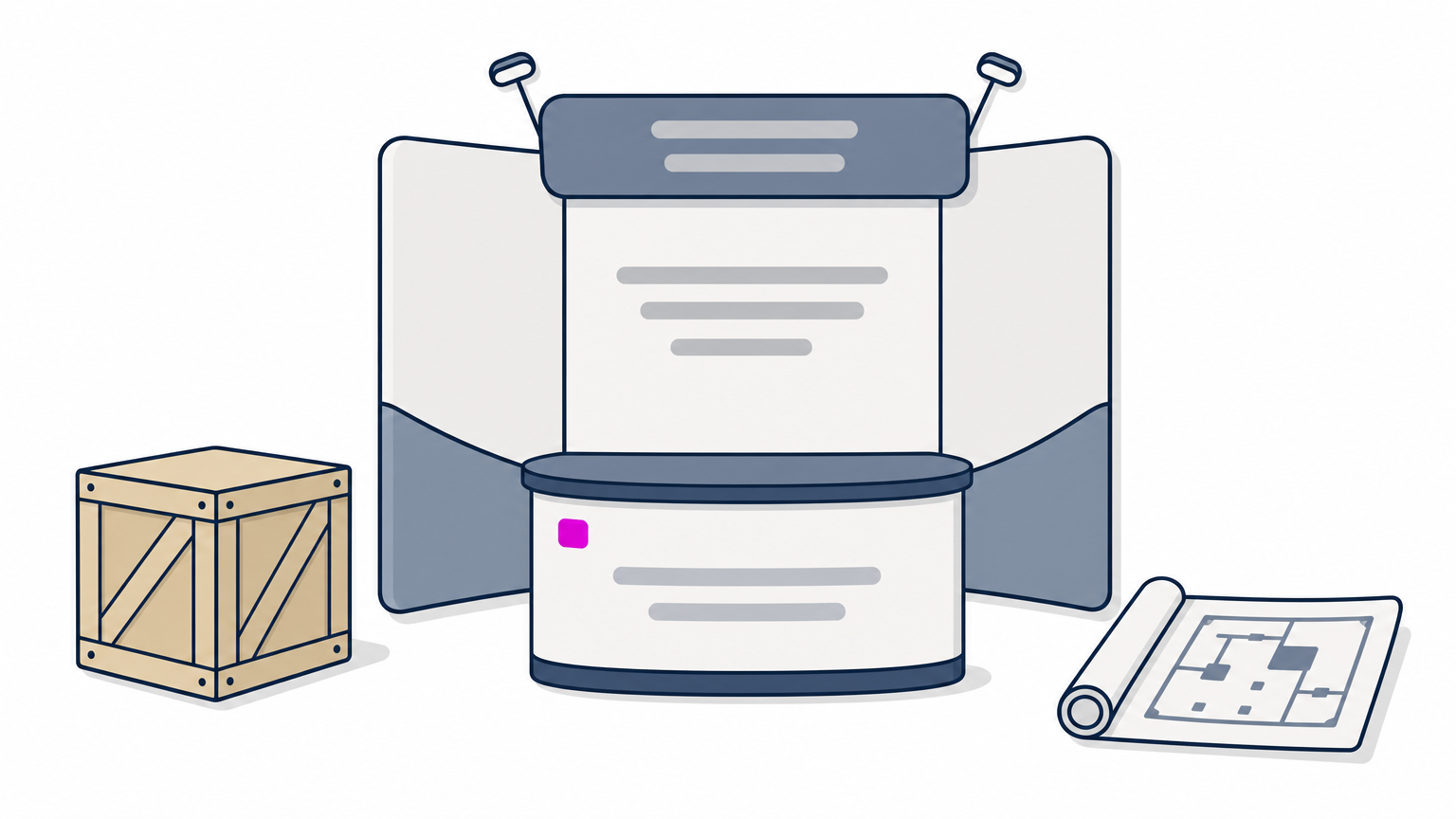
Exhibition Globe is a B2B media platform that has been active since 2017 and is an initiative of Bindura Digital Pvt Ltd. Its directory page lets visitors find local businesses, service providers, jobs, services and venues, and companies add their own listing through the site. The same platform publishes show guides, news, press releases and interviews, so the people browsing it are already thinking about trade fairs.
That context is the point. A general directory shows your profile to anyone. A niche directory shows it to organizers hunting for stand contractors, exhibitors comparing freight forwarders and buyers scanning venues.
A niche directory trades raw volume for visitors who already want what you sell.
Who it suits, cost, and setup
The directory suits organizers, exhibitors, stand contractors, designers, freight forwarders, venue owners, recruitment firms and other event service providers. Because this list is about free options, confirm the current terms on the listing page before you submit. Prepare these details first:
- Your business name, address and phone number, written exactly as they appear on your other profiles.
- A plain description of what you provide and which cities or countries you serve.
- Your website address, so buyers can move from the listing to your own pages.
2. Google Business Profile
Google Business Profile is the free listing that controls how your business appears in Google Search and Google Maps. Of all the free listing sites for business owners with local customers, it is the most valuable, so claim it before anything else and treat the rest as support.
How it works
You create or claim a profile through Google Business Profile, then add your name, address or service area, hours, phone number, website, categories, services and photos. Google asks you to verify the business, and the methods it offers depend on your business and location. Service-area businesses, such as plumbers who travel to customers, can hide their street address and list the areas they cover instead.
Eligibility matters. Google expects in-person contact with customers, either at a location or in a service area, so a purely online business generally does not qualify. After verification, keep the profile alive by answering reviews, updating holiday hours and adding real photos of your premises and work.
If you claim only one profile from this list, claim this one.
Who it suits, cost, and setup
Any shop, restaurant, clinic, tradesperson or office-based agency that customers look up by location should be here. It costs nothing. Setup takes about 20 minutes plus verification time:
- Search for your business first so you do not create a duplicate.
- Pick the most specific primary category available.
- Finish verification, then check that every detail matches your other profiles.
3. Bing Places for Business
Bing Places for Business is Microsoft’s free listing tool for Bing search and Bing Maps. It is the fastest second listing you can build, because it can import your Google profile instead of making you start from zero.
How it works
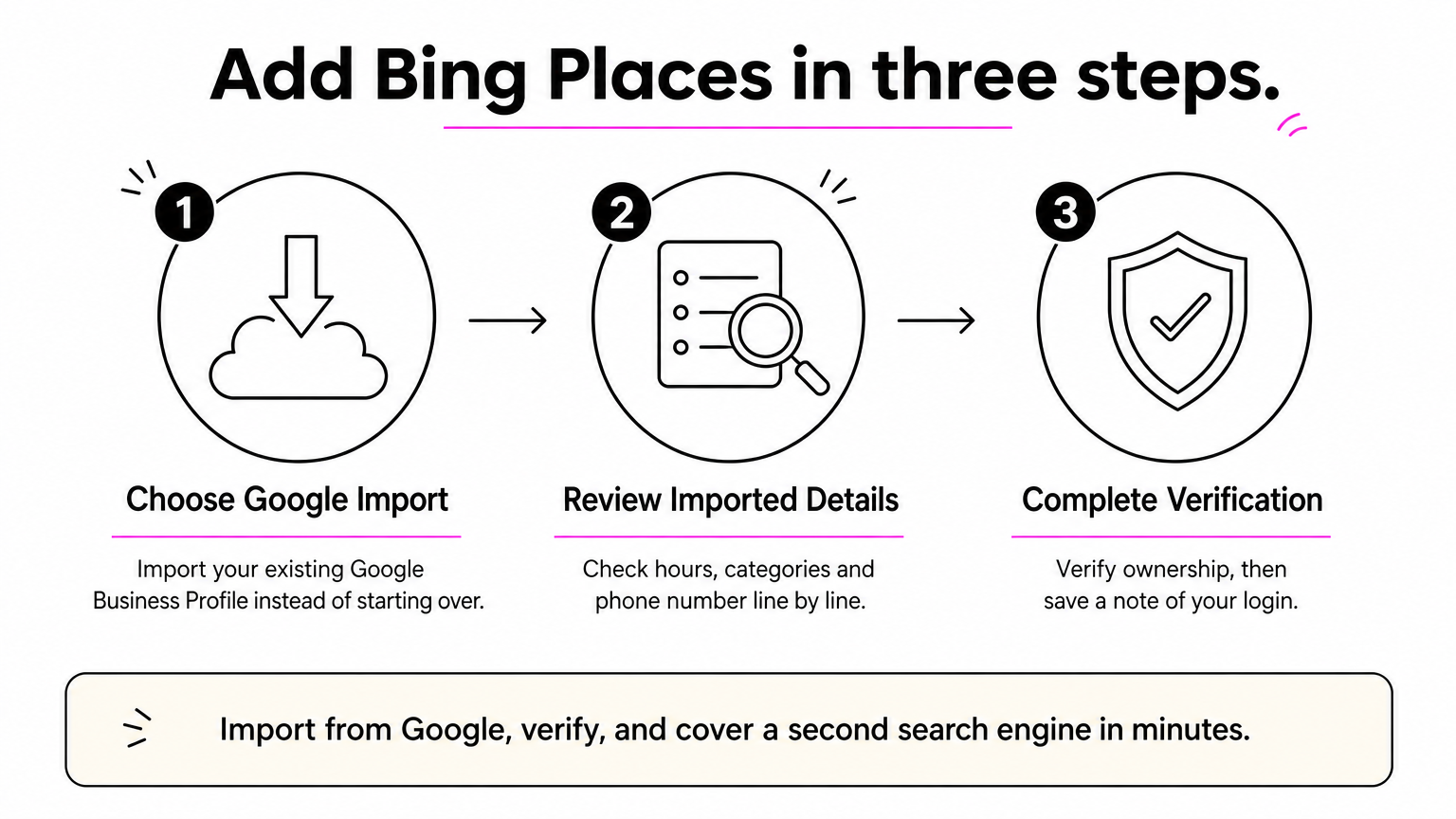
You sign in at Bing Places for Business, then either enter your details by hand or import an existing Google Business Profile. Bing asks you to verify ownership before the listing goes live, much like Google does. Once it is live, you can edit hours, photos and categories at any time.
Bing is the default search engine in Microsoft Edge and Windows search, so a Bing listing reaches people who never open Google. The audience is smaller than Google’s, but the effort is small too. That ratio is why it earns a place on any list of the best business listing sites.
Import from Google, verify, and you have covered a second search engine in minutes.
Who it suits, cost, and setup
Any business that already has a Google profile should do this, as should anyone whose customers work on Windows computers. It is free. Setup steps:
- Choose the import option if you already have a Google profile.
- Review the imported hours, categories and phone number line by line, because imports are not always perfect.
- Complete verification and save a note of the login you used.
4. Apple Business Connect
Apple Business Connect is Apple’s free tool for managing how your business appears in Apple Maps, Siri and other Apple apps. Every iPhone ships with Apple Maps, so an unclaimed or wrong listing there quietly sends customers to the wrong place.
How it works
You sign in at Apple Business Connect with an Apple Account, search for your location and claim it. Apple has you verify that you are authorized to manage the business. After that you can correct your address, hours and phone number, add photos and a logo, and publish Showcases, which are short promotions or announcements attached to your place card.
The practical gain is accuracy. Many customers tap the directions button without ever visiting your website, so what Apple Maps shows is often the only information they see. A claimed card also lets you fix a wrong pin, which an unclaimed one does not.
Apple Maps is the default for iPhone users, so an unclaimed listing there is a gap.
Who it suits, cost, and setup
It suits businesses with a physical location that people visit, such as restaurants, clinics, salons and retail shops. It costs nothing. Setup steps:
- Search for your exact location before creating a new card.
- Follow the verification steps Apple shows you.
- Add a logo and photos, then compare the card with your Google profile.
5. Yelp
Yelp is a free review-driven directory where your business page may already exist before you touch it. Claiming it lets you control the facts and respond to reviews. That makes it one of the most useful free business directory listing options for consumer services.
How it works
Yelp builds pages from public data and customer reviews, so a page for your business can appear without your involvement. When you claim it, you can edit your hours, phone number, website and photos, and reply publicly to reviews. Yelp is strongest in the United States and also operates in a number of other countries, so check that it has real traffic where you work.
Yelp also sells advertising, and the ads are separate from the free page. You can claim and maintain your listing without buying anything. One caution: Yelp’s guidelines discourage asking customers for reviews, so let reviews arrive naturally and point happy customers to your page instead of prompting them.
Claim your Yelp page before a single bad review is the only thing on it.
Who it suits, cost, and setup
Restaurants, salons, home service providers, auto shops and local retail get the most from Yelp. Claiming is free, and paid ads are optional. Setup steps:
- Search Yelp for your business name and claim the existing page.
- Confirm that the name, address and phone number match your other profiles.
- Add real photos and write a short, accurate business description.
6. Facebook Business Page
A Facebook Business Page is a free profile that works as both a listing and a social channel. Treat it as a listing first. The details on the page should match your other profiles, and the page often ranks on Google for your business name.
How it works
You create a Page from a personal Facebook account, choose a category, then add your address or service area, hours, phone number, website and services. Customers can message you, post recommendations and tag your Page. You can also connect an Instagram professional account to the same business, so one set of details covers both.
The Page earns its place on a list of online business listing sites because many customers check Facebook before they call. A Page with correct hours and a recent post tells them you are open. A neglected Page with old hours does the opposite, so only create it if you will keep it current.
Treat your Facebook Page as a listing first and a content channel second.
Who it suits, cost, and setup
It suits small, consumer-facing businesses whose customers already use Facebook, including service providers, shops and community-based businesses. Creating a Page is free, and paid post boosting is optional. Setup steps:
- Choose the category that matches what you actually sell.
- Fill in the address or service area, hours and contact details completely.
- Set a custom username and link your website and Instagram account.
7. LinkedIn Company Page
A LinkedIn Company Page is a free profile that gives B2B buyers a quick check on who you are. It is not a local listing. It is one of the few free profiles that works worldwide for companies that sell to other companies.
How it works
You create a Page from your personal LinkedIn profile, then add your logo, tagline, industry, company size, website and location. Employees connect their profiles to the Page, which makes the company look established and gives buyers real people to check. The Page also tends to show up in Google results for your company name.
For B2B sales, buyers look you up before replying. They want to see who works there, what you publish and whether the company looks real. A complete Page answers those questions without a call, and a missing or empty one raises doubts.
For B2B companies, LinkedIn is the listing buyers check before they reply.
Who it suits, cost, and setup
Agencies, manufacturers, consultants, exhibitors and software companies benefit most, especially when customers sit in different countries. A basic Page is free, and advertising and premium tools are optional. Setup steps:
- Use your real logo and a one-line description of what the company does.
- Add your website, industry and headquarters location.
- Ask your team to list your company as their employer.
How to find and vet more business listing sites
You find more business listing sites by checking where competitors are listed and which directories rank for your trade, then testing each candidate against a short checklist. Seven strong profiles beat seventy weak ones.
What a business listing site is
A business listing site is a directory that publishes a public profile of your company. Every profile centers on NAP, meaning name, address and phone number, and most add a website, hours, categories, photos and reviews. Search engines, map apps and AI assistants compare these profiles to confirm that a business is real. Matching details across sites build trust, while "Acme Inc." on one site and "Acme Incorporated" on another create doubt.
A checklist for vetting a directory
Search your trade plus "directory", then search your competitors’ names and note which directories keep appearing. Test each candidate:
- Can you claim and edit the listing for free, with no hidden paywall?
- Does the site have real visitors and content beyond ads?
- Is it relevant to your industry, country or city?
- Can you correct or delete the listing later?
- Does it avoid promises like instant approval on 100 sites?
Many directory links are nofollow, so do not expect a ranking boost from the link alone. The gain is visibility and consistency. Be wary of free business listing submission sites that accept anyone without review, because they rarely send customers.
A directory is worth your time only if you can claim it, edit it, and a customer might open it.
More free directories worth a look
Google, Bing, Apple, Facebook and LinkedIn work in many countries, which makes them the core of any plan for free business listing sites worldwide. The directories below add reach for specific kinds of businesses, and some lean toward North America.
| Directory | Best for | Note |
|---|---|---|
| Foursquare | Businesses customers visit | Its place data feeds other apps and services |
| BBB | US and Canada businesses | A basic profile is free, accreditation is paid |
| Nextdoor | Neighborhood services | Free Business Page that reaches nearby residents |
| TripAdvisor | Hotels, restaurants, attractions | Claiming a listing is free |
| Trustpilot | Online and e-commerce businesses | Free profile for collecting and answering reviews |
| Manta | US small business listing sites | Free basic listing |
Time budget and a record to copy
Plan on 15 to 20 minutes per profile. Seven profiles come to 105 to 140 minutes, so roughly one afternoon. Keep one master record and paste from it every time, so no listing drifts out of line:
Business name:
Address (or service area):
Phone:
Website:
Hours:
Primary category:
Short description (about 50 words):
Logo and photo files:
Where to start listing your business
Free listing sites for business work when you pick a few that matter and keep every detail identical. Claim Google Business Profile first, then Bing Places and Apple Business Connect for the other map platforms. Add Yelp or Facebook where your customers look, and LinkedIn if you sell to companies.
Use the vetting checklist before you add anything beyond these seven, and keep your master record up to date as hours or phone numbers change.
If you work in events, exhibitions or trade shows, a niche listing puts you in front of organizers, exhibitors and buyers who are already looking. You can add your business to the EG Business Listing and check the current terms there. Then spend the rest of your afternoon on the seven profiles above.