The most reliable way to use social media for event marketing is to work in three phases. Build interest on one or two platforms in the weeks before the event, post live content while it runs, and follow up within 48 hours after it ends. Choose platforms where your attendees already spend time, publish on a fixed schedule, and tie every registration back to a tagged link.
Most organizers know they should post. The trouble is that promotion competes with venue contracts, speaker confirmations and exhibitor questions, so posting happens in bursts, usually a week before doors open. By then it is too late to build demand. Nobody can say afterward which posts brought registrations, so the next event repeats the same guesswork.
This guide breaks event promotion into four steps: choose platforms, build buzz before the event, drive engagement during it, and follow up and measure. You get calendars, a metrics table and copy-ready post templates. The examples lean toward B2B trade shows and conferences, where LinkedIn often matters more than TikTok. Exhibition Globe has reported on the exhibition industry since 2017, and that audience shapes the advice here.
Why social media works for event promotion
Social media works for event promotion because it combines targeted reach, visible proof and cheap testing in one place. You can find the right people, show them what attending is like, and learn within days which message gets a response.
What social media does for an event
Targeting is the first advantage. LinkedIn lets you aim posts and ads at job titles, industries and company sizes, and Meta’s ad tools let you build audiences from your email list or website visitors. For a trade show, that means your message reaches the procurement head or the packaging buyer, not a general crowd.
The second advantage is social proof. A speaker announcement, an exhibitor saying they will be at booth 214, or a photo of last year’s packed hall tells a prospect more than a paragraph on your website. When other people share those posts, the event looks active long before the first session starts.
Social media works for events when it shows people the event, not just announces it.
What to prepare before you post
Gather these items first, so you do not stop mid-campaign to hunt for them:
- A one-line pitch that says who the event is for and what they gain.
- Core facts: dates, venue, ticket or registration link, and the early-bird deadline.
- An audience profile: job titles, industries and what they want from the event.
- One goal with a number, such as 1,500 registrations or 60 exhibitor leads.
- Assets: logo, speaker headshots, last year’s photos and clips, brand colors.
- One owner who approves and publishes every post.
Then split the campaign into the three phases from the introduction. Before the event you create demand. During it you create live content. After it you turn attention into next year’s audience. The four steps below follow that order.
Step 1. Choose platforms and set a goal
Pick one primary platform and one secondary platform, then set a single measurable goal. Spreading thin across six networks produces six weak feeds, while two well-run channels give you consistent output and clean data.
Match platforms to your audience
Start from where your attendees already are, not from where you are most comfortable. Ask recent attendees which networks they use for work, or check where your existing followers are most active. Use this table as a starting point.
| Platform | Best for | Typical event use |
|---|---|---|
| B2B events, conferences, trade shows | Event page, speaker and exhibitor posts, job-title ad targeting | |
| Community and consumer events, older audiences | Event page, groups, ticket reminders | |
| Visual and consumer events | Countdown stickers in Stories, Reels, behind-the-scenes | |
| X | News-style updates, live commentary | Live updates, hashtag monitoring |
| TikTok | Younger audiences, consumer expos | Short setup and preview clips |
| YouTube | Longer video | Speaker teasers, recap films |
For a trade show aimed at business buyers, LinkedIn plus one visual channel such as Instagram or YouTube is a sound default. For a consumer expo, flip the order.
Set a goal and a tracking link
Choose one number that matters, such as registrations, then work backward. As an illustration, if your registration page converts 5% of visitors and you want 1,000 registrations, you need about 20,000 visits (1,000 divided by 0.05). That figure tells you how much traffic each platform must send and whether you need paid support.
If you cannot trace a registration back to a post, you cannot tell which platform deserves more effort.
Create a separate tagged link for every platform so your analytics show the source:
https://yourevent.com/register?utm_source=linkedin&utm_medium=social&utm_campaign=expo2027
https://yourevent.com/register?utm_source=instagram&utm_medium=social&utm_campaign=expo2027
Change only the utm_source value for each channel and keep the campaign name identical, so reports group correctly.
Step 2. Build buzz before the event
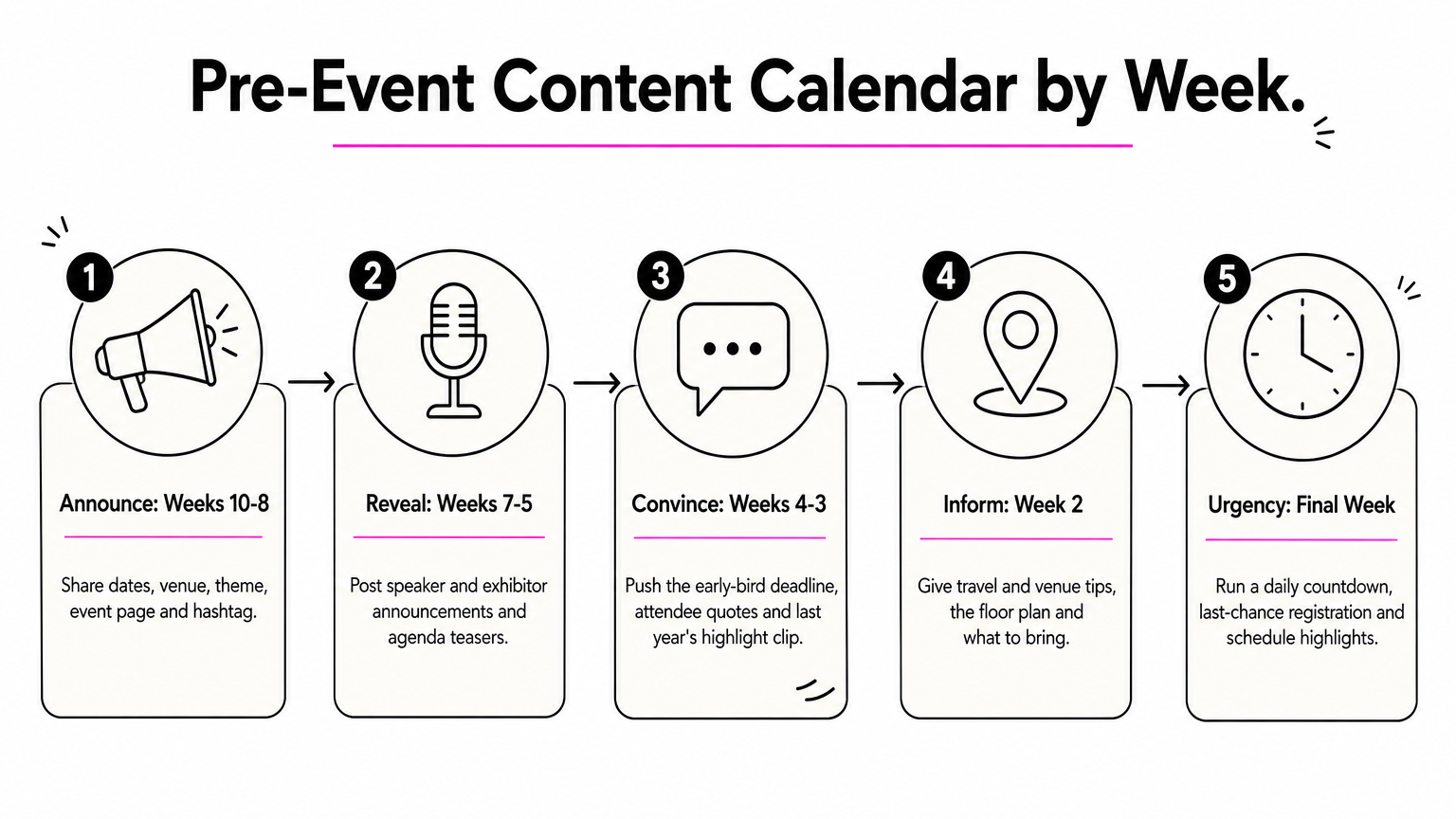
Start posting eight to ten weeks out and give every week a job. Early posts announce and reveal, middle posts give reasons to register now, and final-week posts remove doubt and create urgency.
Follow a pre-event content calendar
Adjust the timing to your event size. A small workshop can compress this into four weeks, while a major trade show may need twelve.
| Weeks out | Job | Post ideas |
|---|---|---|
| 10 to 8 | Announce | Dates, venue, theme, event page, hashtag |
| 7 to 5 | Reveal | Speaker and exhibitor announcements, agenda teasers |
| 4 to 3 | Convince | Early-bird deadline, attendee quotes, last year’s highlight clip |
| 2 | Inform | Travel and venue tips, floor plan, what to bring |
| Final week | Urgency | Daily countdown, "last chance" registration, schedule highlights |
Post three to five times a week on your primary platform and two to three times on the secondary one. Schedule posts in advance so a busy week does not leave a gap.
Use post formats that earn attention
Speaker announcements and countdowns are the workhorses of social media event promotion. Here is a LinkedIn speaker post you can adapt:
Announcing: [Speaker name], [Title] at [Company], joins [Event name] on [date] in [city].

[Speaker] will cover [topic] and what it means for [audience].

Reserve your place: [tagged link]
#[EventHashtag]
Other formats that work well are a poll asking which session people want most, a short video invitation from the organizer, and a behind-the-scenes photo of hall or stage preparation. Instagram’s countdown sticker in Stories sends followers a reminder when the event starts.
Share the load with partners and paid reach
Organic posts from your own account reach only a fraction of your followers. Ask speakers, sponsors and exhibitors to share, and make it easy by sending them a ready-made kit with a pre-written post, a graphic and your tagged link. Add a press release or an interview with your founder or a speaker on industry media, such as Exhibition Globe, then share the published link on your own channels.
Keep a small paid budget for the posts that already perform. Boost your best-performing speaker announcement to a job-title audience, and retarget visitors who opened your registration page but did not finish.
Step 3. Drive engagement during the event
During the event, your job is to publish live content and make it easy for attendees to do the same. Name one person as the social lead, give them a posting plan, and keep your hashtag visible everywhere.
Prepare a live posting plan
Draft the day’s posts the evening before, leaving gaps for live moments. A simple plan for each day looks like this:
- Morning: a "doors are open" post with a photo of the entrance or registration desk.
- Between sessions: a speaker quote card or a 15-second clip from the stage.
- Midday: an exhibitor spotlight with booth number and what they are showing.
- Afternoon: a poll or question for attendees, such as "Which session was most useful so far?"
- Evening: a recap photo set and a preview of tomorrow.
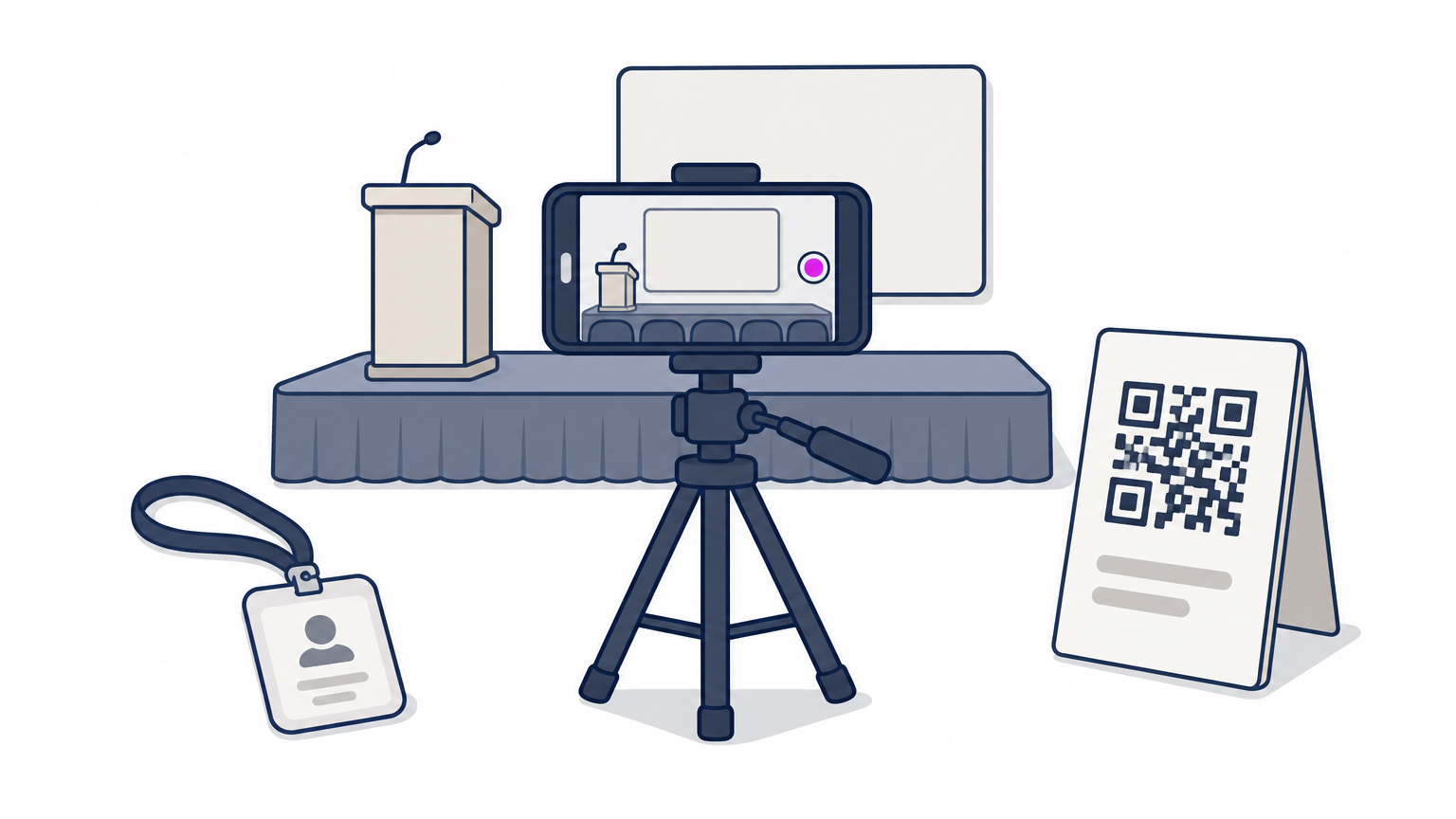
Put your event hashtag on signage, badges, slides and screens. Add a QR code at the entrance and in session rooms that links to your event page or social profile.
Capture and amplify attendee content
Attendee posts carry more trust than your own. Repost them (with permission when it is more than a simple share), reply to questions quickly, and thank people who tag you. Search your hashtag every hour and react to the best posts.
Consider live video for keynotes or a short Q&A with an exhibitor. Ask two or three speakers to go live or post a take-away from the stage, since their followers are exactly the audience you want next year.
Live posting is a service for people who could not attend, and every one of them is a prospect for the next edition.
For paid reach on the day, a local-radius boost on Instagram or Facebook can pull in last-minute walk-ins, which suits consumer events more than trade-only shows.
Step 4. Follow up and measure results
Publish your recap within 48 hours and review your numbers within two weeks. The post-event window is when attendees are still talking about you, and it is when your data is freshest.
Post within 48 hours
Start with a thank-you post that includes a photo, a headline number such as attendance or exhibitors, and your hashtag. Follow with a recap video or photo gallery, speaker slides if you have permission, and a short survey link. Then announce the next dates or open a waiting list.
Thank you to everyone who joined us at [Event name]. [Number] attendees, [number] exhibitors and [number] sessions in [city].

Highlights, photos and speaker slides: [link]

Tell us what worked and what to improve (2 minutes): [survey link]

Next edition: [date]. Join the early list: [link]
Share a few attendee quotes and exhibitor results over the following weeks. These become raw material for your next pre-event calendar.
Measure what worked
Pull the numbers from each platform’s analytics and from your tagged links. Track these:
| Metric | What it tells you | Where to find it |
|---|---|---|
| Registrations by source | Which platform drives sign-ups | Your analytics, via tagged links |
| Link clicks | Which posts persuade | Platform analytics |
| Engagement rate | Which content resonates | Platform analytics |
| Reach and impressions | Awareness | Platform analytics |
| Hashtag mentions | Attendee participation | Platform search |
| Cost per registration | Paid efficiency | Ad spend divided by paid registrations |
A quick example: if you spent $600 on boosted posts and they produced 40 tracked registrations, your cost per registration was $15. Compare that to your ticket price or your value per exhibitor lead to decide whether to raise or cut spend next time.
Write down which three posts performed best, because that short list is your starting calendar for the next event.
Start with one platform and a plan
Event promotion on social media comes down to a few habits. Pick one or two platforms, post on a fixed schedule from ten weeks out, go live during the event, and follow up within 48 hours. Tag every link so you know what worked. Teams that do this consistently beat teams that post harder in the final week.
If you run a trade show, conference or exhibition and want your announcements to reach the industry beyond your own followers, you can publish a press release or interview on Exhibition Globe and share it across your channels as part of your campaign.