How to Create Visuals for Different Campaigns with AI

How to Create Visuals for Different Campaigns with AI

Every campaign lives or dies by its first impression, and that impression is almost always visual. Whether you’re launching a product, running a seasonal sale, or building brand awareness, the right image can stop a scroll and start a conversation. That’s where an AI image generator changes the game, letting marketers skip the studio shoot and go straight from idea to polished creative. Platforms like Dreamina, powered by its most advanced model yet, Seedream 5.0 Pro, are turning that idea into a genuinely practical workflow for teams of any size.

Why campaign visuals deserve more thought than you think

It’s tempting to treat visuals as the last box to check before a campaign goes live. But images do the heavy lifting of communication before a single word gets read. A mismatched tone or a generic stock photo can quietly undercut even the smartest copywriting. Getting visuals right from the start saves revision cycles later and keeps your message sharp.

Know your campaign type before you design
Not all campaigns need the same visual language. When intended, it’s easier to match format:

If you know which bucket the campaign belongs to, then you can prompt an AI tool to be much more specific.

Experience Dreamina’s new Seedream 5.0 Pro 

With a focus on controllable and production-ready output, the flagship model Seedream 5.0 Pro is crafted specifically for the demands of a campaign. It offers precision editing through point selection, lassoing, and sketch guidance, so specific elements of an image can be adjusted without disturbing the rest of the composition. Its layer-separation ability lets creators isolate subjects, backgrounds, and text into independently editable pieces, which is a huge time-saver when a client wants “just the background changed.” Add in native text rendering across 14 languages, built-in research for accurate and current details, and sharp 2K output, and you have a model designed less for one-off art and more for real creative pipelines.

The fun part: Turning a blank prompt into a finished campaign asset

This is where things get genuinely enjoyable. Here’s how to go from a rough idea to a downloadable, campaign-ready visual in Dreamina.

Step 1: Write a text prompt and/or add a reference image

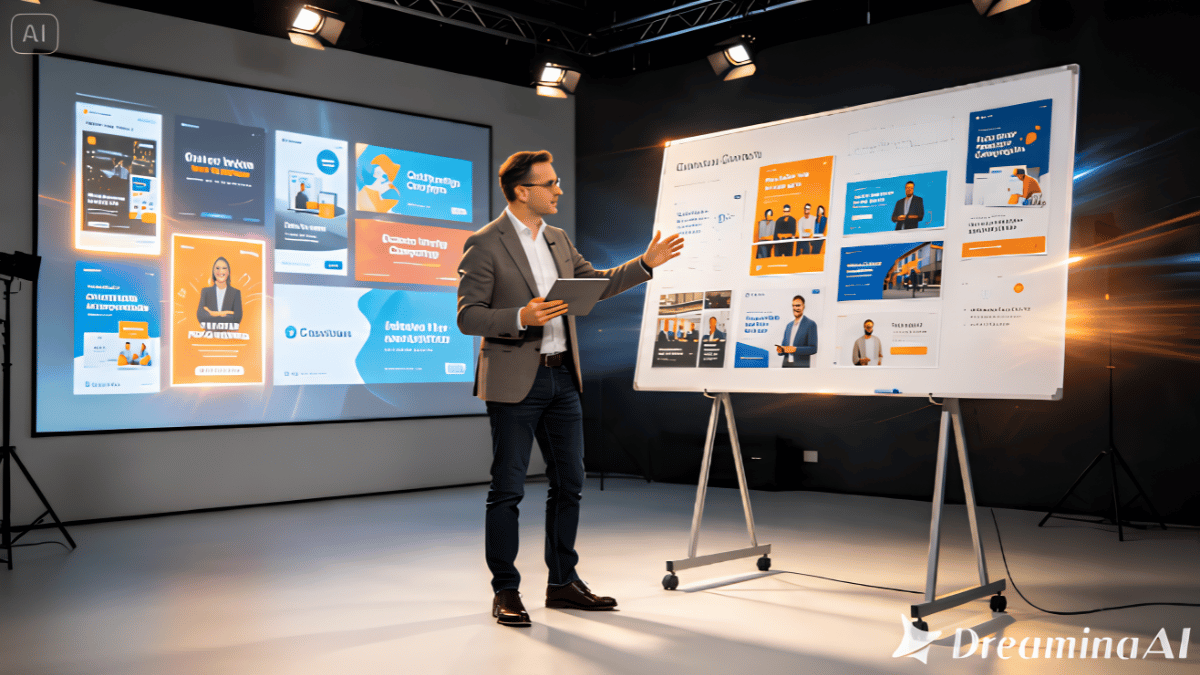
You can go to Dreamina and begin with a specific, detailed text prompt. The closer the output gets to your vision, the more descriptive you are about setting, mood and subject. For additional precision, provide a reference image with your prompt. If you’re working with a confident brand ambassador, a tactic might be: “A confident marketing professional in a customised blazer, standing in front of a glowing digital dashboard with colourful ad creatives, holding a tablet, soft studio light, cinematic composition, sharp product launch energy”.

Step 2: Simply adjust the parameters and generate

Fine-tune the parameters that influence your output image before pressing generate. Select Image 5.0 Pro by Seedream 5.0 Pro as your model, then choose your aspect ratio and size based on where the visual will live, whether that’s a square social post or a wide banner ad. Pick your resolution, either 1K for quick drafts or 2K for polished, print-ready detail, then click Dreamina’s icon to generate your visual.

Step 3: Customise and download

Once your image appears, it’s rarely the finishing touch. Employ Dreamina’s built-in customisation features like inpaint, expand, remove and retouch to polish out details, extend the canvas or clean up anything that doesn’t feel right. Once it looks just the way you want, click the “Download” icon and your campaign asset is ready to use.

Matching visuals to the platform they will reside on

This beautiful image might be great on Instagram, but not on LinkedIn or in an email banner. When deciding on settlement, consider:
  • Clean, detail shots emphasize the product features and are effective for product launch.
  • Seasonal/ promotional campaigns make use of strong colors and urgency
  • When it comes to brand awareness, it’s all about lifestyle and emotional imagery.
  • While B2B campaigns may require clean, presenting images, rather than flashy ones.
  • The aspect ratio depends on the platform. Each platform has its own aspect ratio requirement.
  • How the image appears when displayed in thumbnail size.
  • If there is a specific need for text overlays to have additional space

The adjustable aspect ratio and size feature of Seedream 5.0 Pro allows you to easily reformat a single core visual for various placement options without needing to start from scratch.

Maintain all assets using on-brand practices.

But a single good image will become a recognisable campaign only if it’s consistent. Always preserve the theme and the colour palette, typography and overall tone of the visuals you’re creating throughout.

Seedream 5.0 Pro’s multilingual text generation is especially useful here, letting global brands keep messaging consistent in tone even when the language on the creative changes.

Mistakes worth avoiding

A few habits tend to weaken otherwise strong AI-generated visuals:

  • Being too vague with prompts and hoping the tool fills the gaps
  • Skipping customisation and publishing the first draft
  • Ignoring platform-specific sizing until the last minute

Slowing down at the prompt and refinement stages almost always pays off.

Wrapping up your campaign visual strategy

Creating standout campaign visuals no longer requires a full production team or a packed studio schedule. With a thoughtful prompt, the right parameters, and a few refinement passes, an AI image generator can carry a campaign from concept to launch-ready asset in minutes. Dreamina, with the creative precision of Seedream 5.0 Pro behind it, gives marketers a genuinely reliable way to keep visuals sharp, on-brand, and ready for whatever platform they’re headed to next.

SHARE